
Install a Graft
When to use this
You have a running Gateway (or project registry URL) and want to add a strongly typed client to your application.
Prerequisites
- Registry URL from Graftcode Vision or Project Key and Registry URL
- Package manager for your language
Steps
1. Get the install command
From Vision (http://localhost:<httpPort>/vision or /GV) or the Portal, copy the command for your technology.
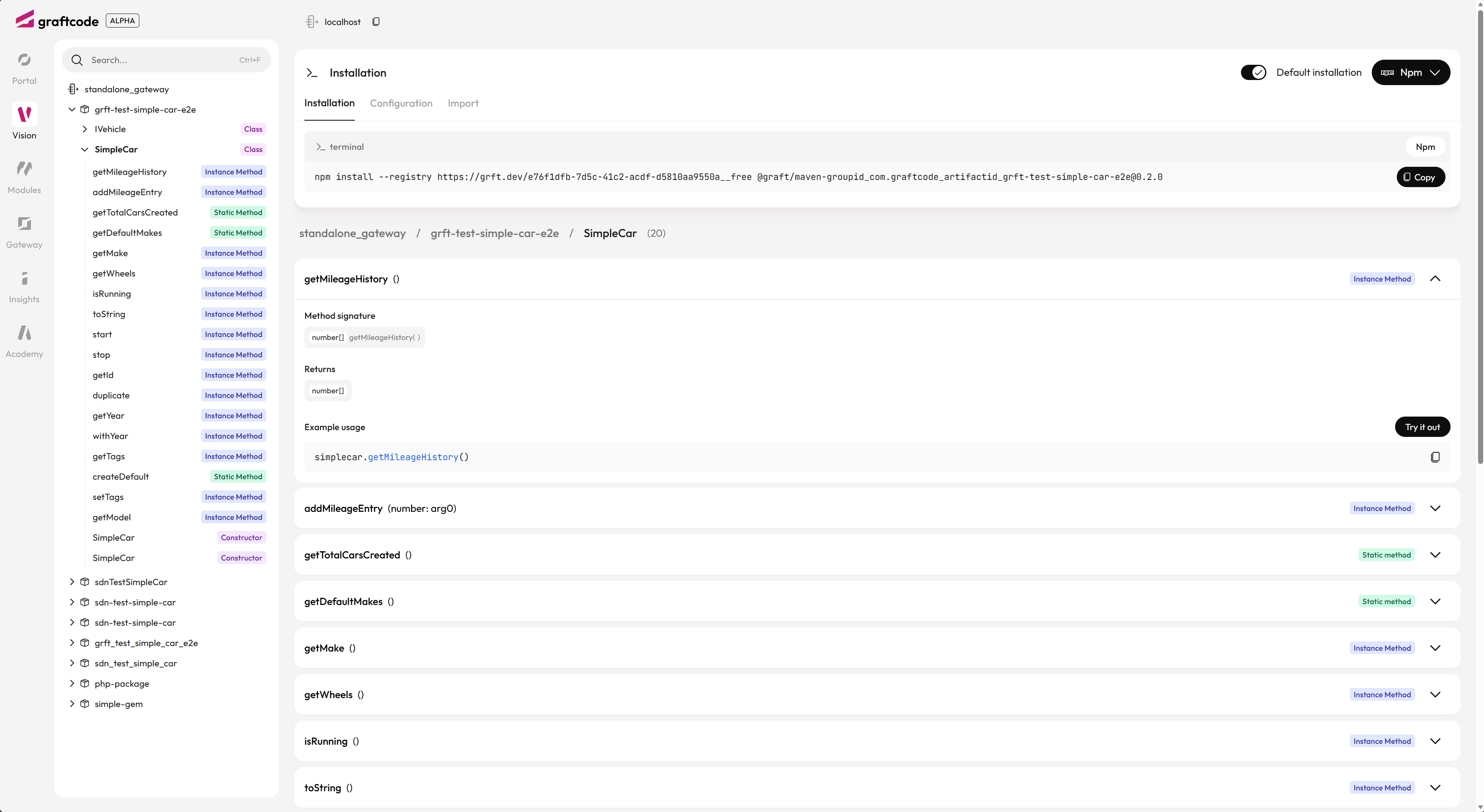
Vision generates the exact install command for the package manager you select — copy it rather than typing the registry URL by hand.
2. Install
npm (TypeScript / JavaScript):
npm install @graft/nuget-EnergyPrice --registry=http://grft.dev/<project-id>__graftcode
NuGet (.NET):
dotnet add package graft.nuget.EnergyPrice --source http://grft.dev/<project-id>__graftcode
pip (Python):
pip install graft-pypi-energyprice --extra-index-url http://grft.dev/<project-id>__graftcode
Maven (Java):
Add the registry to pom.xml / settings.xml as shown in Vision, then:
<dependency>
  <groupId>graft.maven</groupId>
  <artifactId>energyprice</artifactId>
  <version>1.0.0</version>
</dependency>
3. Import and call
import { EnergyService } from "@graft/nuget-EnergyPrice";

const energy = new EnergyService();
const price = await energy.getCurrentPrice("DE");
using graft.nuget.EnergyPrice;

var energy = new EnergyService();
var price = energy.GetCurrentPrice("DE");
4. Configure execution target
Copy the Configuration snippet from Vision, or set GraftConfig manually:

See GraftConfig reference and In-memory vs remote cookbook.
Verify it works
- Package resolves from your registry URL
- IDE shows typed methods on the Graft class
- A simple call returns expected data
Common mistakes
| Mistake | Fix |
|---|---|
| npm: module not found | Check --registry URL and package name from Vision |
| Wrong registry suffix | __graftcode with Project Key; __free for anonymous GG |
| Stale Graft after host interface change | Reinstall / refresh Graft package |
See also
Practiced in Quick Start tutorials #1, #3, #4