
Module path in in-memory mode
When to use this
You run modules in-memory (same process) and Hypertube needs to locate the hosted DLL, JAR, or package path — especially in polyglot setups (Quick Start #4).
Prerequisites
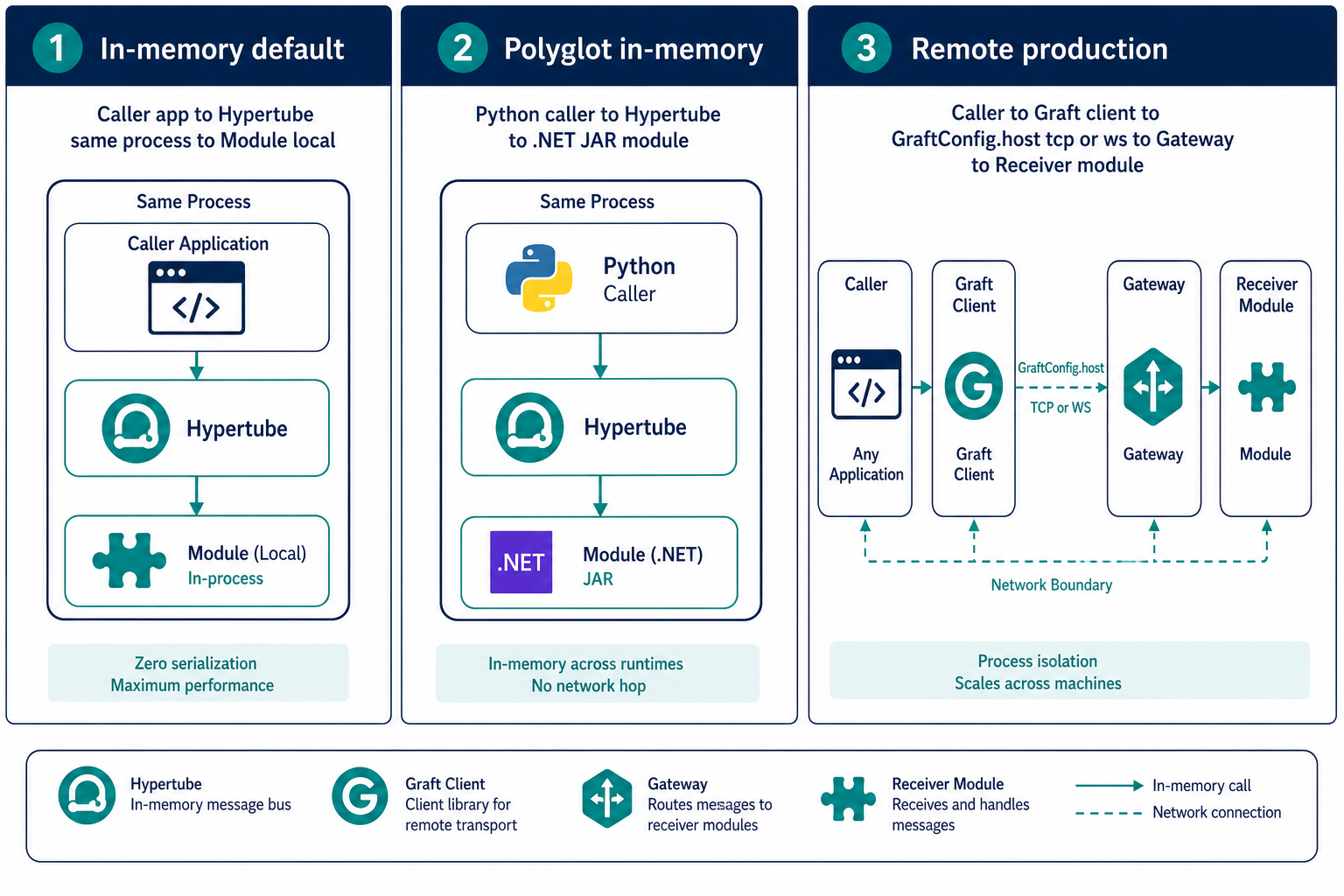
See In-memory vs remote cookbook for execution-mode diagram:
How it works
When GraftConfig.host is unset, generated GraftConfig.init():
- Creates a runtime-specific graft root folder under the application
- Unpacks or locates module artifacts for the target runtime
- Passes the resolved module path to Hypertube's modules configuration
- Starts the embedded runtime with that path
You normally do not set module paths manually — the generated Graft handles resolution from package contents.
When you must configure paths
JVM / Java
For in-memory Java modules, the JAR must be on the classpath. Generated GraftConfig validates classpath and throws a clear error if the module JAR is missing:
Run application with module jar on startup classpath
Fix: ensure the module JAR is referenced in your build or pass JVM classpath flags as required by your graft's generated init logic.
Custom module location
Use config files when generated defaults are insufficient:
graftcode-config.json:
{
  "modules": "/path/to/hosted/module.jar"
}
Exact key names follow the Graft connection string Modules segment when full connection strings are supported.
Remote mode
When host points to a remote GG, module paths are resolved on the Gateway via --modules — not in the caller. See Hosting multiple modules.
Polyglot in one process
Quick Start #4 demonstrates calling a foreign-language module in-process. Each Graft's GraftConfig initializes its runtime slice independently.
Verify it works
GraftConfig.init()completes withoutIllegalStateException/ path errors- Method calls reach the hosted module (not empty stubs)
Common mistakes
| Mistake | Fix |
|---|---|
| Java: JAR not on classpath | Add JAR to project dependencies or JVM args |
| Setting module path for remote Grafts | Configure --modules on GG instead |
| Wrong working directory | Run app from directory where config files are found |
See also
Practiced in Quick Start tutorial #4