
GraftConfig reference
When to use this
Every generated Graft exposes a GraftConfig class. Use it to set where and how calls execute.
Prerequisites
GraftConfig members
| Member | Purpose |
|---|---|
host | Remote Gateway address (tcp://, ws://, …). Unset = in-memory. |
stateless | Hypertube session mode (true / false). Default false. |
init() | Initializes Hypertube runtime context (called automatically). |
setConfig(...) | Set connection string (partial support in Alpha). |
Set host in code
TypeScript:
import { GraftConfig } from "@graft/nuget-EnergyPrice";

GraftConfig.host = "tcp://energy-service:8990";
// or WebSocket:
GraftConfig.host = "ws://localhost:8888/ws";
C#:
using graft.nuget.EnergyPrice;

GraftConfig.host = "tcp://energy-service:8990";
Leave host unset for in-memory execution in the same process as Hypertube.
Copy from Graftcode Vision
Vision's Configuration tab generates ready-to-paste snippets for your runtime:

Switch between In code, Config file, and ENV var in Vision to match how you configure each environment. See First run and Vision.
Stateless mode
GraftConfig.stateless = true;
GraftConfig.stateless = true;
Use with stateless interface design (static methods). See Stateless vs stateful execution.
Configuration without code
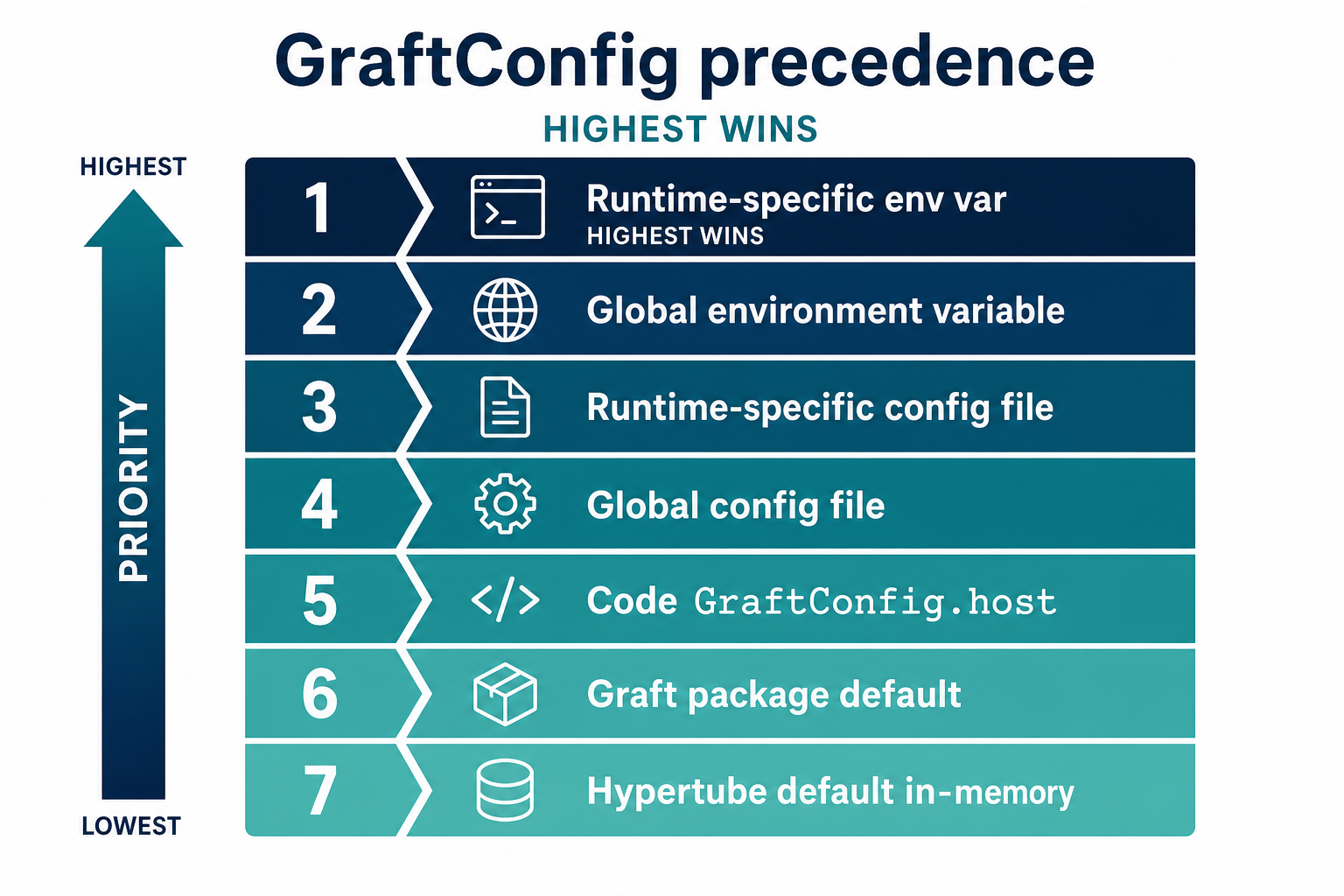
GraftConfig loads settings in precedence order (highest wins):
- Runtime-specific environment variable
- Global environment variable
- Runtime-specific config file
- Global config file
- Code (
GraftConfig.setConfig/host) - Graft package default
- Hypertube default (in-memory)
Config file names
Global (all Grafts):
graftcode-config.jsongraftcode-config.yamlgraftcode-config.txt
Per-Graft (replace with graft name):
{graft-name}-config.json{graft-name}-config.yaml{graft-name}-config.txt
Example graftcode-config.json:
{
  "host": "tcp://localhost:8990"
}
Full connection string format (Alpha: limited support):
name=@graft/nuget-EnergyPrice;runtime=netcore;host=ws://localhost:8888/ws
Verify it works
- Unset
host→ calls execute in-process - Set
host→ calls reach remote GG (check with Debugging runbook)
See also
- Runtime call execution (config precedence detail)
- Configure multiple Grafts
- Glossary: GraftConfig