
Debugging runbook
When to use this
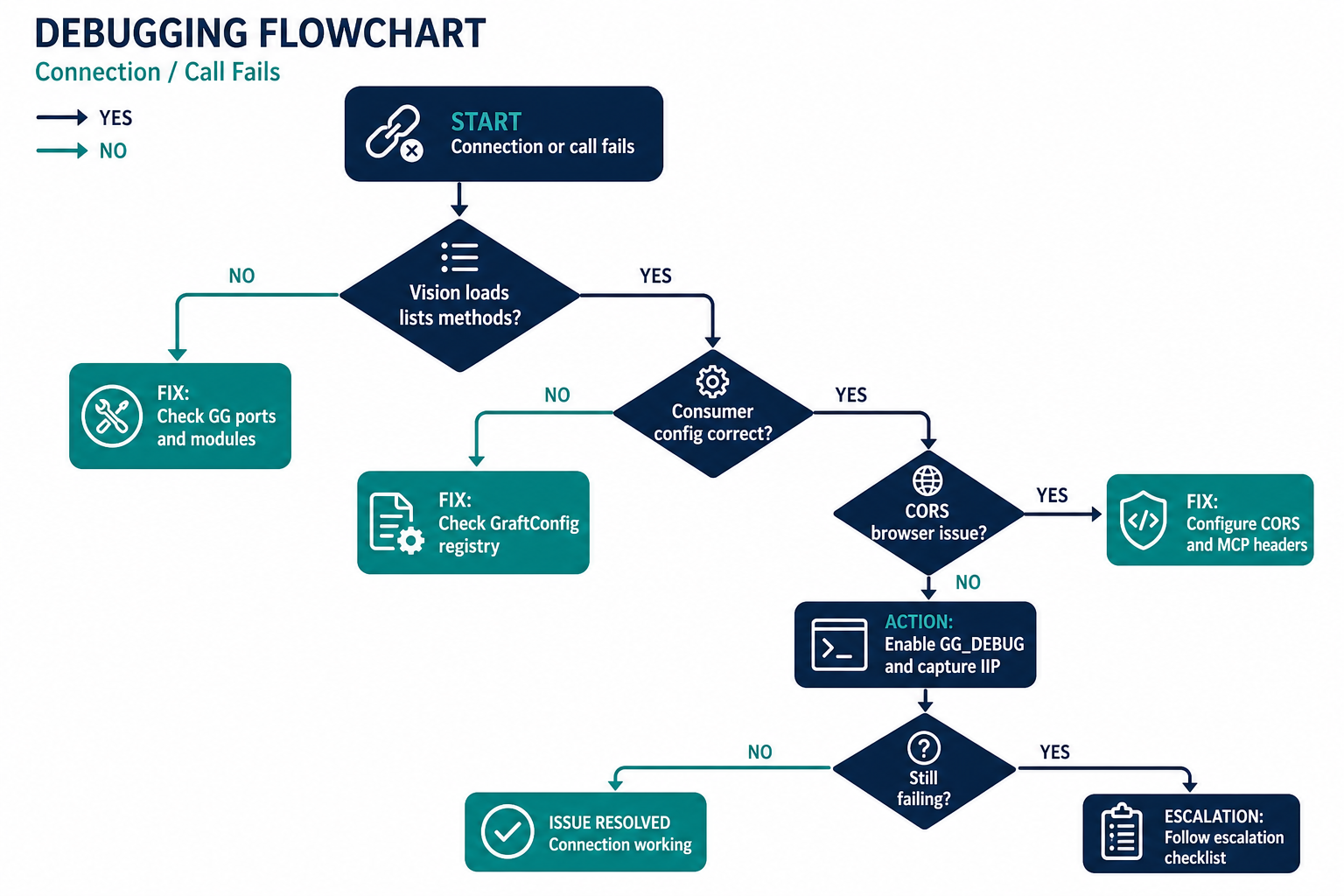
Connections fail, methods are missing, or calls hang — you need a structured debugging path.
Prerequisites
- Running GG and consumer app
- Access to Gateway console logs
Step 1: Enable byte-level logging
export GG_DEBUG=1
./gg ./MyLib.dll --port 8888 --httpPort 8889
Windows PowerShell:
$env:GG_DEBUG = "1"
.\gg.exe .\MyLib.dll --port 8888 --httpPort 8889
Logs incoming/outgoing binary IIP traffic to the console. Use for protocol-level issues only (verbose).
Step 2: Verify Gateway health
| Check | Command / action |
|---|---|
| Vision loads | Open http://localhost:<httpPort>/vision |
| Module listed | Confirm public types in Vision |
| Ports open | curl -I http://localhost:8889/vision |
| MCP port | curl http://localhost:8889/mcpport |
| Registry | curl http://localhost:8889/registry |
Step 3: Verify consumer configuration
- Confirm
GraftConfig.hostmatches GG ports and protocol — Transport guide - Check config file precedence — env may override code — GraftConfig reference
- Confirm the Graft package installed from the correct registry URL — Install a Graft
Step 4: Common Gateway issues
| Symptom | Fix |
|---|---|
| Port 80 permission denied | Use --port 8888 --httpPort 8889 |
| Module not loaded | Explicit --modules; correct --runtime |
| Wrong runtime (CLR vs netcore) | Match DLL target framework |
| Java fails | Use JAR paths; check JAVA_HOME |
| Python/Ruby deps missing | Install deps in host environment |
| CORS errors in browser | Ports and CORS |
| Firewall blocks | Open WS/TCP/HTTP ports |
Step 5: Interactive testing
Use Graftcode Vision Try it out to invoke methods without writing consumer code:
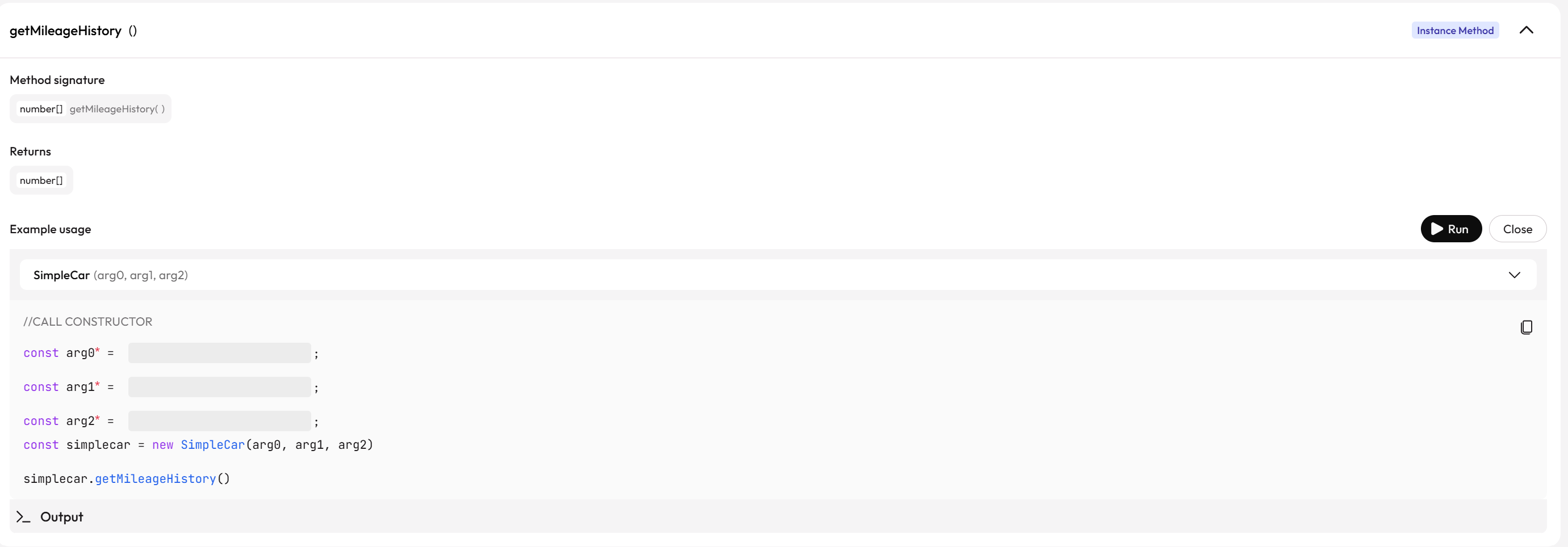
If Try it out succeeds but your application fails, the issue is likely consumer configuration, registry install, or auth — not Gateway exposure.
Step 6: Escalation checklist
-
GG_DEBUG=1captured for failing call - Vision shows expected methods
- Graft package version matches hosted module version
-
--typesfilter includes your facade - Project Key / registry URL correct for installs