
First run and Graftcode Vision
When to use this
You have installed GG and want to host a module, inspect its public interface, and get the package-manager command to install a Graft.
Prerequisites
- Installed GG
- A hostable module (DLL, JAR, Node package path, etc.)
Steps
1. Start the Gateway
./gg ./YourModule.dll --runtime netcore --port 8888 --httpPort 8889
Or let GG auto-detect the runtime:
./gg ./YourModule.dll --port 8888 --httpPort 8889
2. Open Graftcode Vision
Vision is served on the HTTP port (--httpPort, default 81):
http://localhost:8889/vision
Some Gateway builds also serve Vision at /GV on the same port — use whichever path your running instance opens.
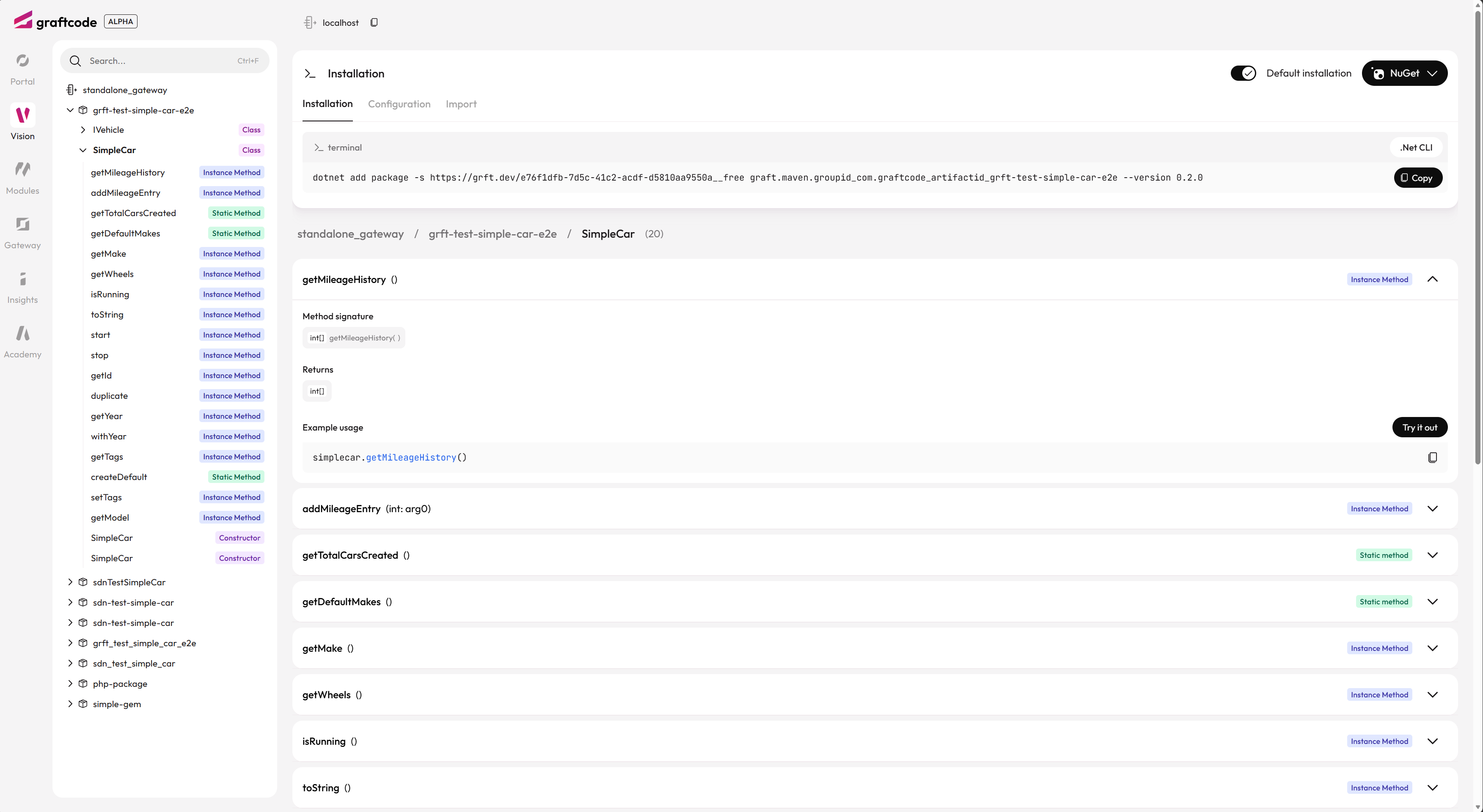
Vision lists what your running Gateway exposes: modules, classes, method signatures, and tabs for installation, configuration, and interactive testing.
Vision shows:
- Loaded modules and public types
- Method signatures
- Install commands for Grafts (npm, NuGet, pip, Maven, …)
- Connection configuration examples
3. Copy an install command
Select your package manager on the Installation tab and copy the generated command:
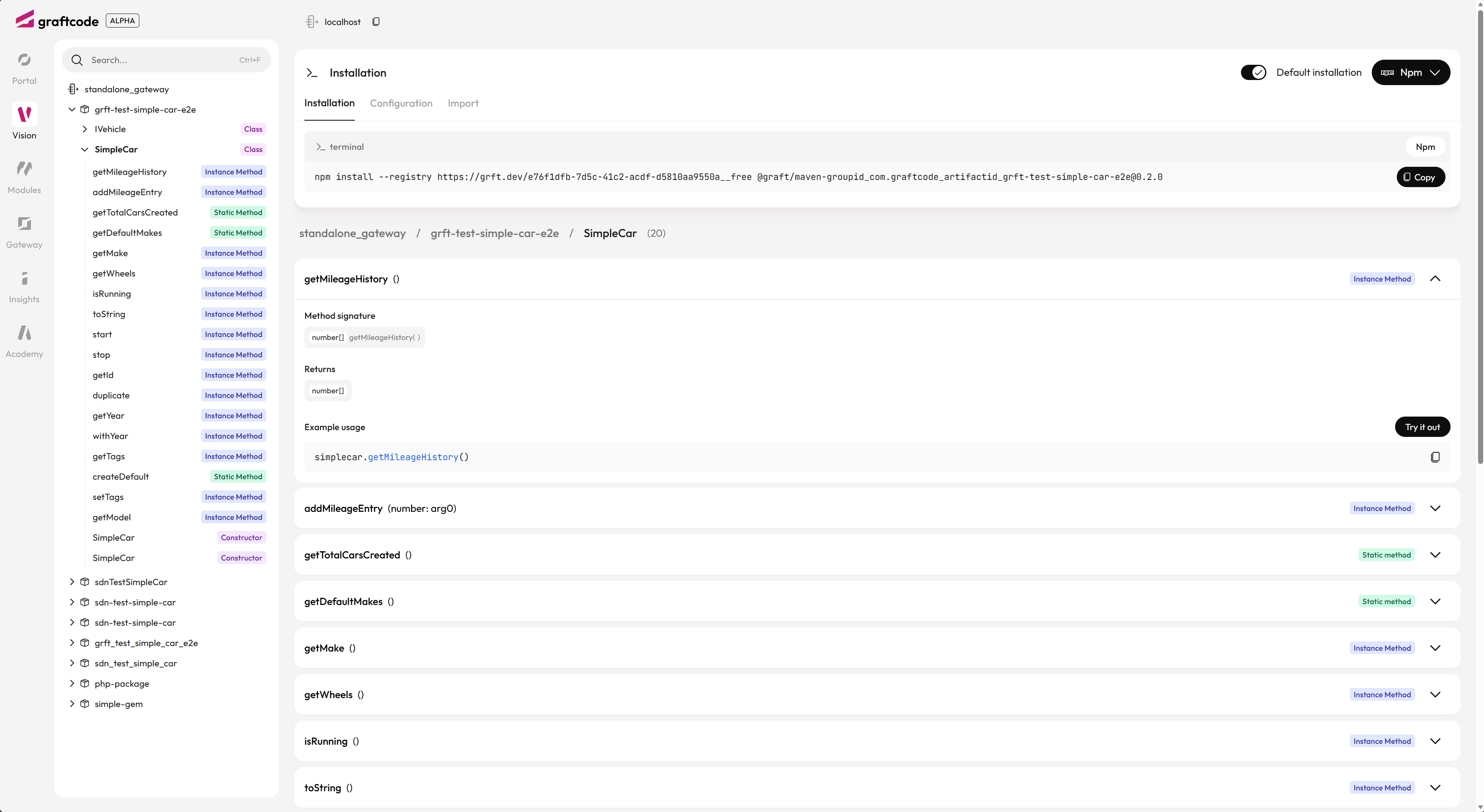
Choose npm (or another package manager), then copy the install command — including the --registry URL shown for your project.
Example command shape:
npm install @graft/nuget-YourModule --registry=http://grft.dev/<project-id>__graftcode
For local anonymous mode (no Project Key), the registry suffix is __free.
4. Copy connection configuration
On the Configuration tab, Vision generates a GraftConfig snippet for your consumer app — in code, config file, or environment variable form:

Use the Configuration tab to copy how the consumer should set GraftConfig.host (here via WebSocket). Switch between In code, Config file, and ENV var as needed.
5. Try a method in Vision
Use Try it out on any method to invoke it against the live Gateway — useful for verifying exposure before writing consumer code:
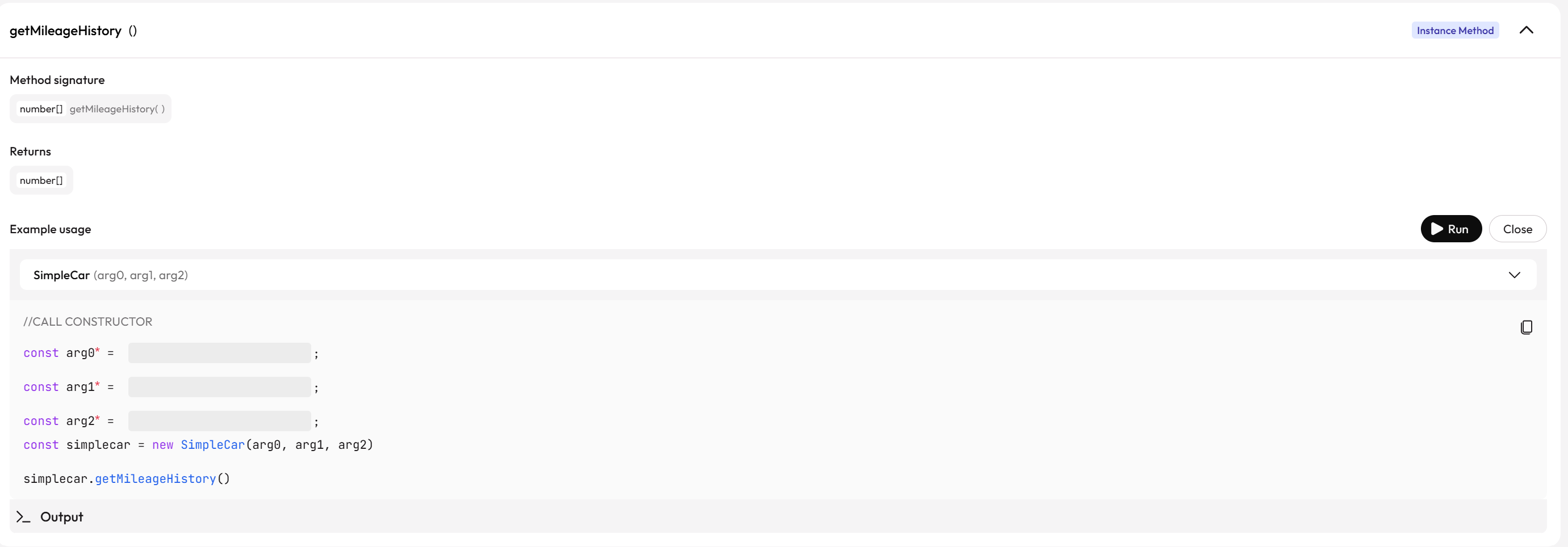
Try it out runs the same runtime path as a real Graft call. For instance methods, Vision prompts for constructor arguments before invoking the method.
6. Install a Graft (consumer side)
Paste the install command from step 3 into your project terminal.
7. Call methods from your app
import { YourService } from "@graft/nuget-YourModule";

const service = new YourService();
const result = await service.yourMethod("arg");
Configure remote vs in-memory execution via GraftConfig.
About Graftcode Vision
Vision is a runtime-based interface explorer — similar in spirit to Swagger or Postman, but for typed methods, not HTTP endpoints.
It shows what the running Gateway actually exposes (via the UGM): public types, methods, signatures, install commands, and config examples. If the service changes, Vision updates immediately — no separate spec to maintain.
Vision also supports interactive try it execution against the same runtime real clients use. It does not bypass security or expose methods beyond what Grafts can call.
Operational walkthrough: this page. Install and registry setup: Install a Graft.
Verify it works
- Vision loads and lists your public methods
- Install command completes without registry errors
- A simple method call returns the expected result
Common mistakes
| Issue | Solution |
|---|---|
| Vision URL does not load | Check --httpPort; ensure firewall allows the port |
| No modules in Vision | Specify --modules explicitly; check runtime matches module |
| Install fails on npm | Verify --registry URL and package name from Vision — see Install a Graft |
See also
- Install and download
- Install a Graft
- Visual assets guide — Vision and MCP screenshots index
Practiced in Quick Start tutorial #2