
Filtering exposed types
When to use this
Your module has many public classes but you only want a subset callable remotely — for security, API surface control, or MCP exposure.
Prerequisites
- Installed GG
- Know the fully qualified type names (FQN) of types to expose
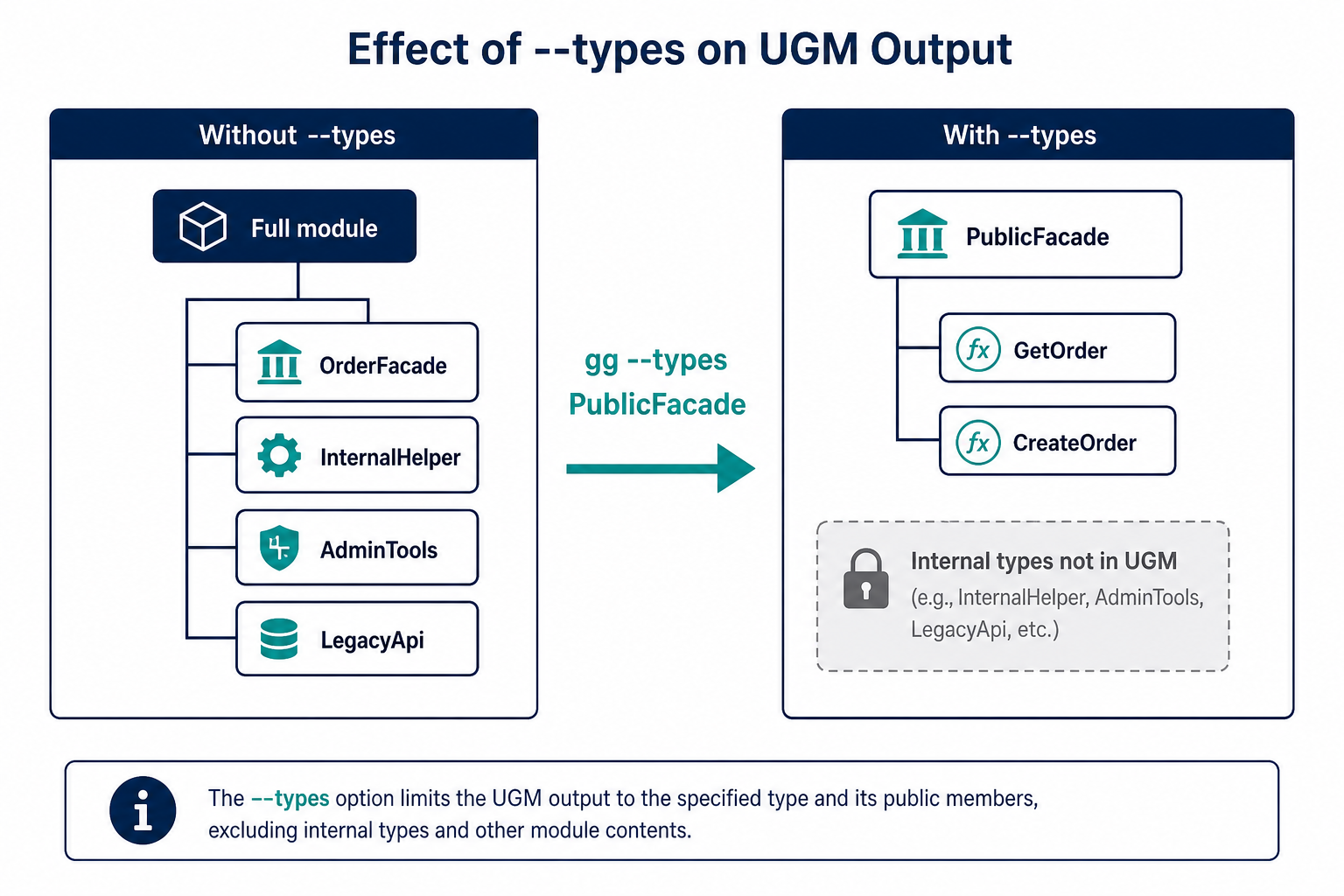
Pass --types with a facade FQN so Vision and generated Grafts expose only the surface you intend.
Steps
1. Identify type names
Examples by language:
| Language | FQN example |
|---|---|
| C# | MyCompany.Api.OrderFacade |
| Java | com.mycompany.api.OrderFacade |
| Python | mypackage.api.order_facade |
2. Pass --types to GG
Comma-separated list, no spaces unless part of the name:
./gg ./MyLib.dll --types MyCompany.Api.OrderFacade,MyCompany.Api.CatalogFacade --port 8888
Only public methods on the listed types are included in the Unified Graft Model and reachable through Grafts and MCP.
3. Facade pattern (recommended)
Create a single static facade class with static methods that delegate to internal services. Expose only that facade:
./gg ./MyLib.dll --types MyCompany.Api.PublicFacade --port 8888
This keeps internal types private by language visibility rules — they never enter the UGM.
Verify it works
- Graftcode Vision lists only the filtered types
- Generated Graft contains only methods from those types
- Internal types are not callable remotely
Common mistakes
| Mistake | Fix |
|---|---|
| Wrong FQN | Copy exact namespace + class from Vision or IDE |
| Expecting namespace-level filter | Use --types per class; --namespaces is not enabled in current GG |
| Too many types exposed | Prefer one facade class |
See also
- Public interface vs business logic
- MCP: expose tools
- Alpha limitations (filtering was listed as alpha workaround — now a first-class how-to)